










PSPKG App for Android
Your games in your pocket
Every PSPKG game in one fast app: browse, search and download right inside the app — free, with no ads, and an alert the moment a new game lands for your console.
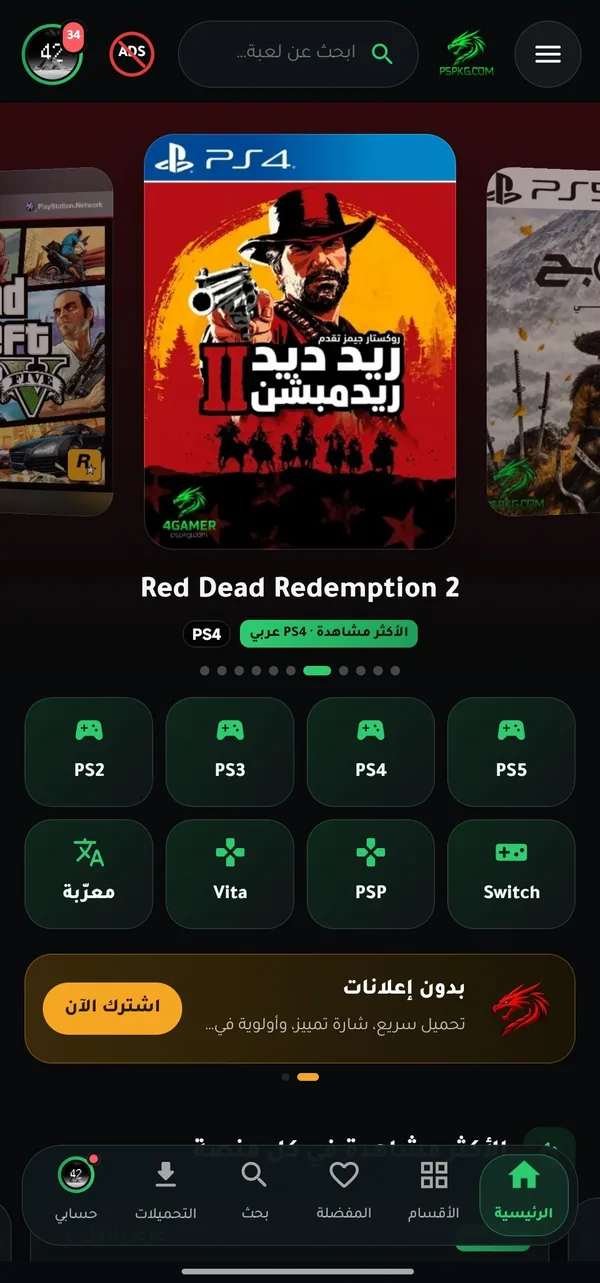
What does the app give you?
Real screenshots from the app.
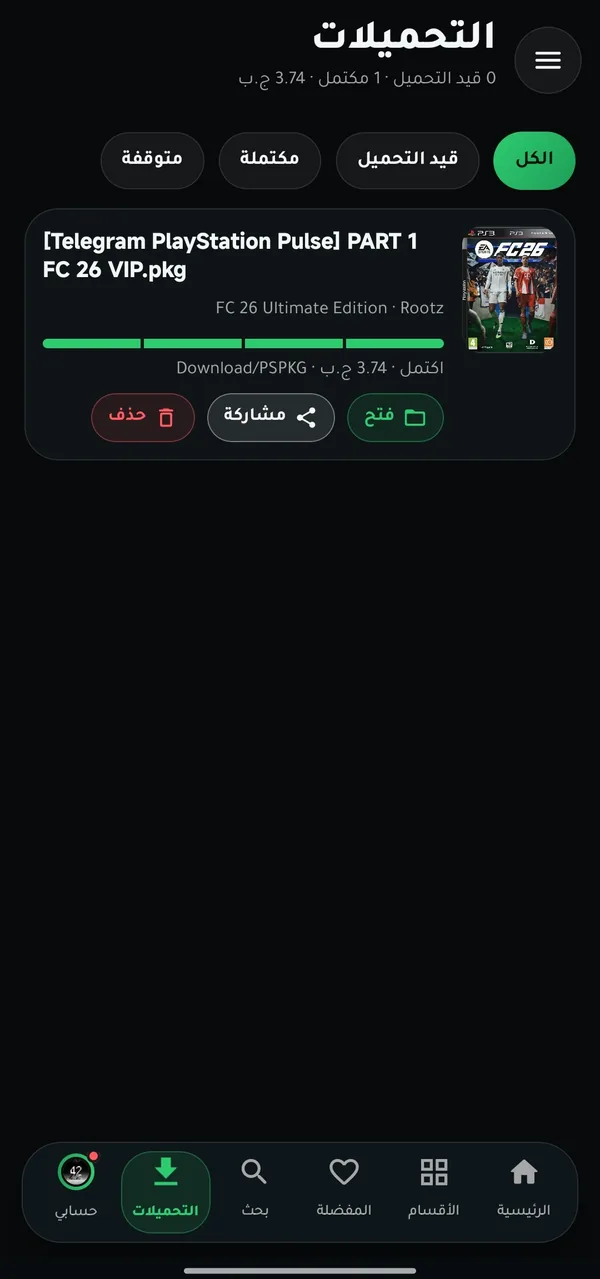
Fast downloads inside the app
and every file arrives intact
Download your games straight from the app — no browser, no extra tools, and faster than a normal download.
- Resumes where it stopped if the connection drops or you close the app — never start from zero.
- Built so the file arrives complete and undamaged, even with repeated drops.
- Keeps going in the background with a notification showing the cover, progress, speed and time left.
- Download several games at once, save straight to a USB drive, or Wi-Fi only.
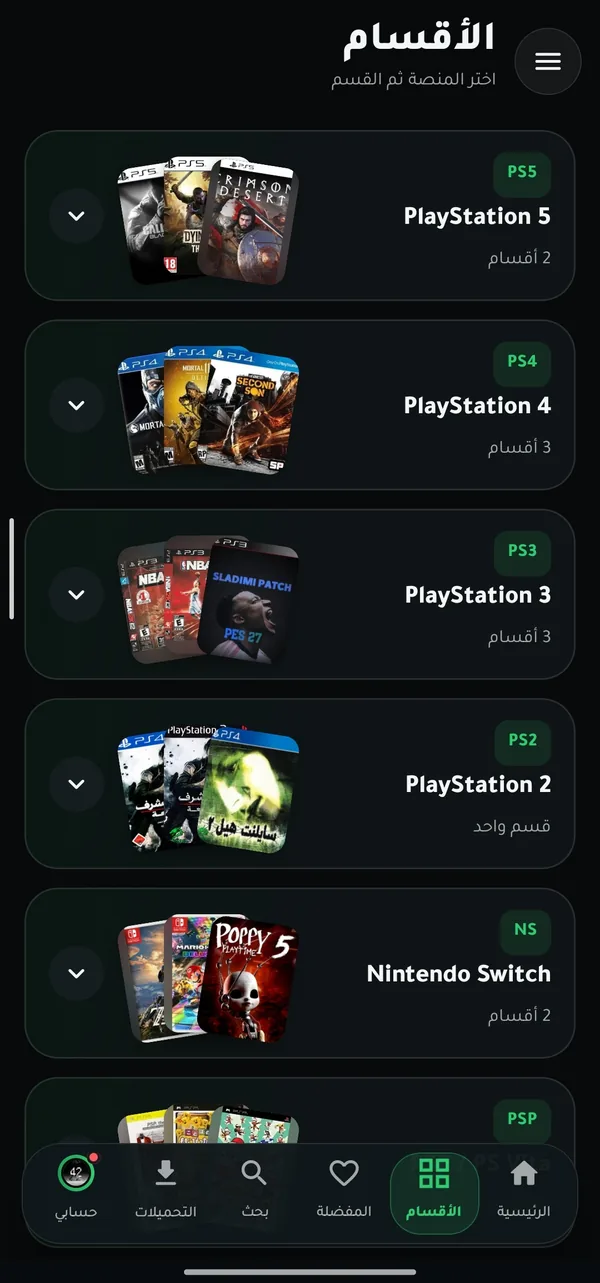
All your consoles
in one place
PS5, PS4, PS3, PS2, Switch, PSP and PS Vita — each with its own sections.
- Original and Arabic editions for every console.
- PS2 games converted to run on PS4.
- Jump between consoles with one tap from the bottom bar.
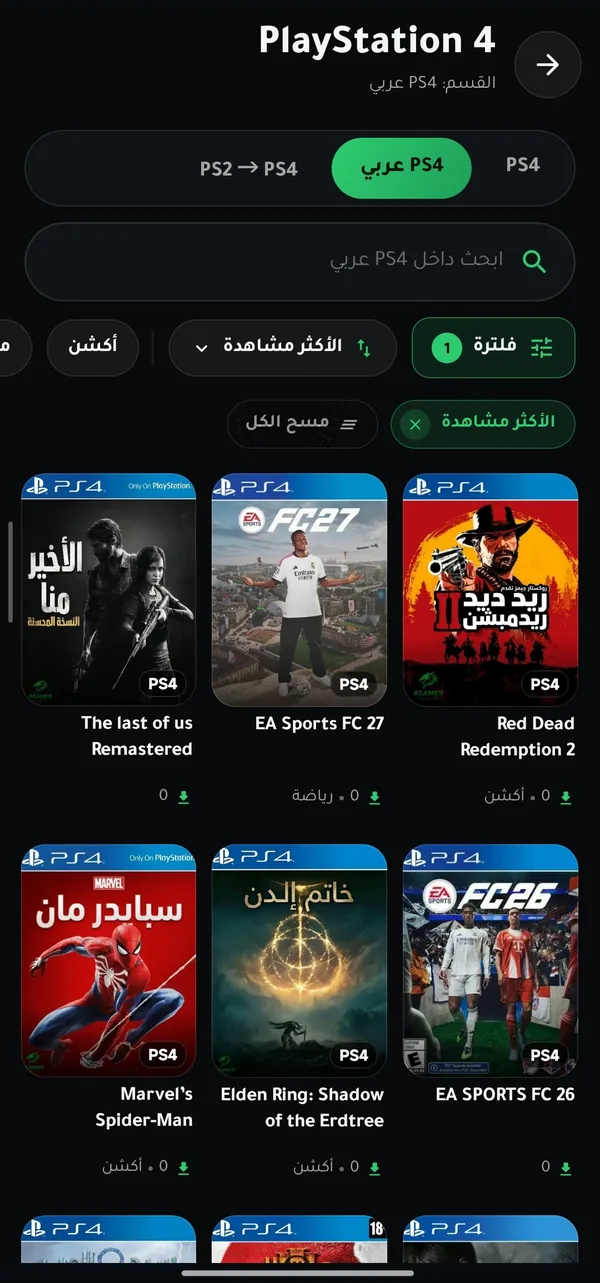
Find your game
in seconds
Search inside any section, then sort and filter the results your way.
- Sort by newest, most viewed or most downloaded.
- Filter by genre: action, adventure, sports and more.
- Switch between the original and the Arabic edition with one tap.
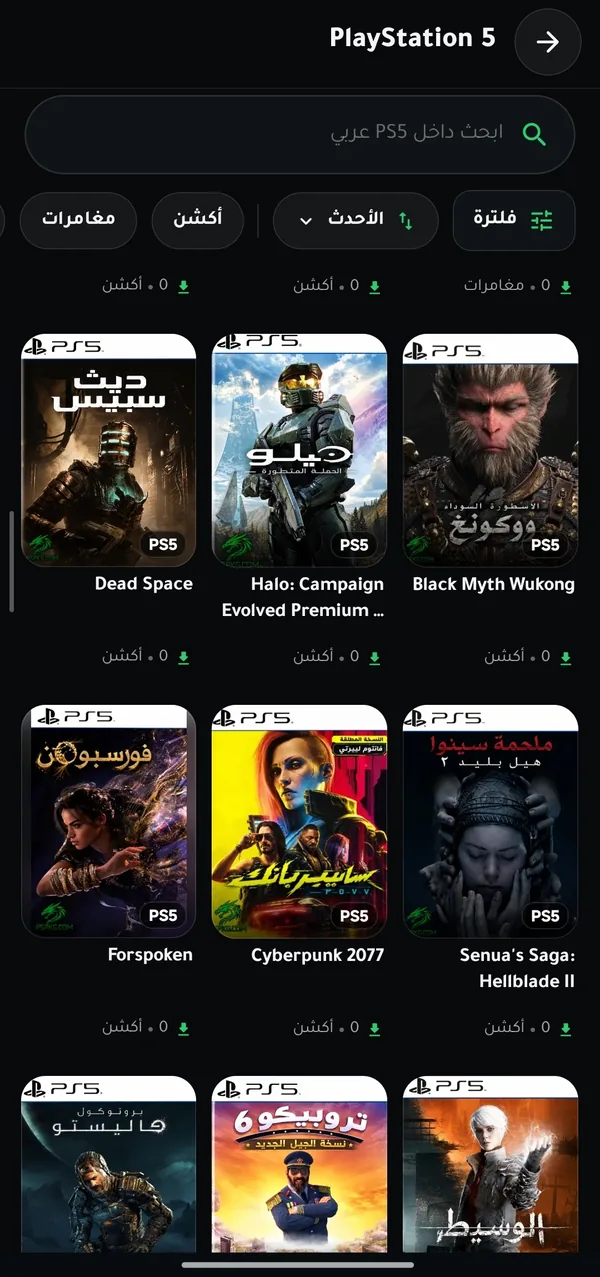
Comfortable browsing
with big, clear covers
Thousands of games with large covers and smooth loading as you scroll.
- Come back from a game page to the exact spot you left in the list.
- One tap to jump back to the top of long lists.
- Save what you like to Favorites or “Play later”.
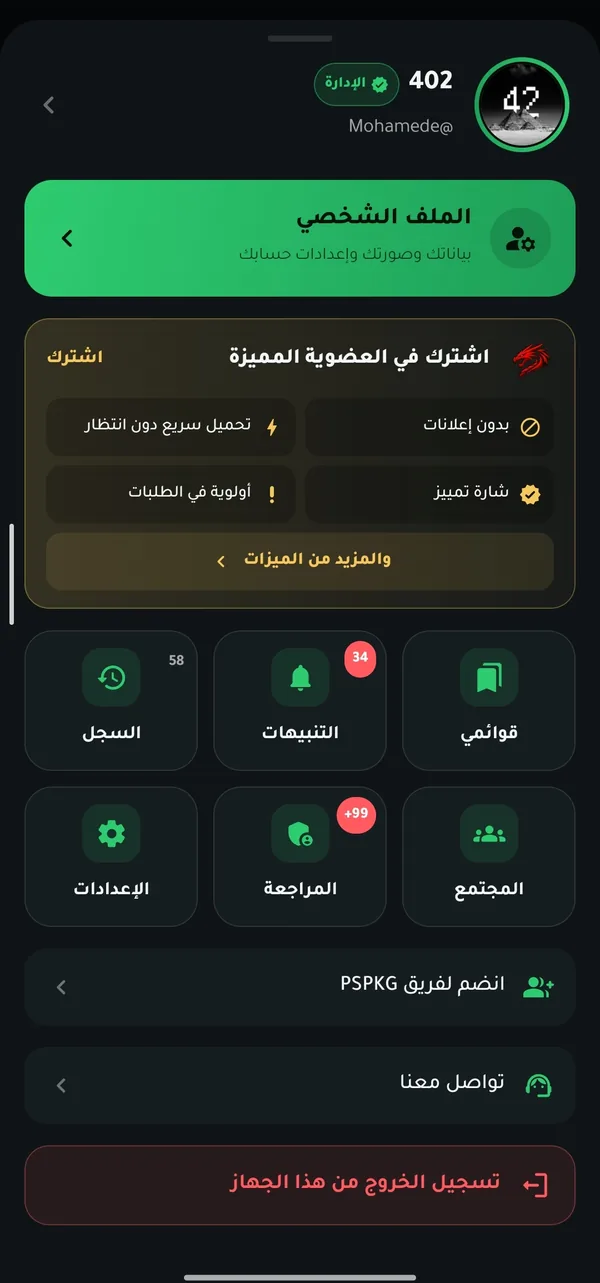
Your full account
inside the app
Sign in or create an account right from the app — everything in your PSPKG account comes with you.
- Your profile, avatar, lists and watch history.
- Your alerts and replies to your comments in one place.
- Premium membership: the red dragon badge next to your name.
And also
An alert for every new game
Pick your consoles and get notified the moment a new game is added, or when someone replies to you.
No ads, no pop-ups
Download links open inside the app with no ads and no waiting — straight to the file.
Works on weak internet
Remembers what you browsed, so lists open fast even when the connection is slow or offline.

Premium membership
The red dragon badge next to your name, activated with a code right from the app.
Or use your favorite app
Prefer 1DM or ADM? Send the link to them with one tap.
Light and fast
Only about 4.4 MB, and runs smoothly on older phones too.
Download PSPKG now
PSPKG for Android
Install in 3 steps
- Download the fileTap “Download” and wait until it finishes.
- Allow the installWhen you open the file, turn on “Allow from this source”, then go back.
- Open and enjoyTap “Install”, then “Open”, and sign in or create an account.
The app isn’t on Google Play, so Android asks for your permission just once.
Frequently asked questions
Is the PSPKG app free?
Yes. The app is completely free and has no ads. Premium membership is optional and adds extras to your account.
Why isn’t it on Google Play?
We publish the app directly from our official website. Always download it from this page only — it’s the one source of the original version.
Is the app safe?
The version on this page is signed by PSPKG, and the file fingerprint (SHA-256) is shown next to the download button so you can verify it. Don’t install copies posted elsewhere.
What language is the app in?
The app interface is currently in Arabic, while game titles and covers appear in their original language.
Do I need an account?
No. You can browse and download without an account. An account saves your favorites and lists and lets you comment, rate and get personal alerts.
How do I update the app?
The app tells you when a new version is out. Download it from this page and install it over the old one — your data and account stay as they are.
Which phones does it work on?
Android 8.0 or later. The app is designed for phones and doesn’t support TVs for now.