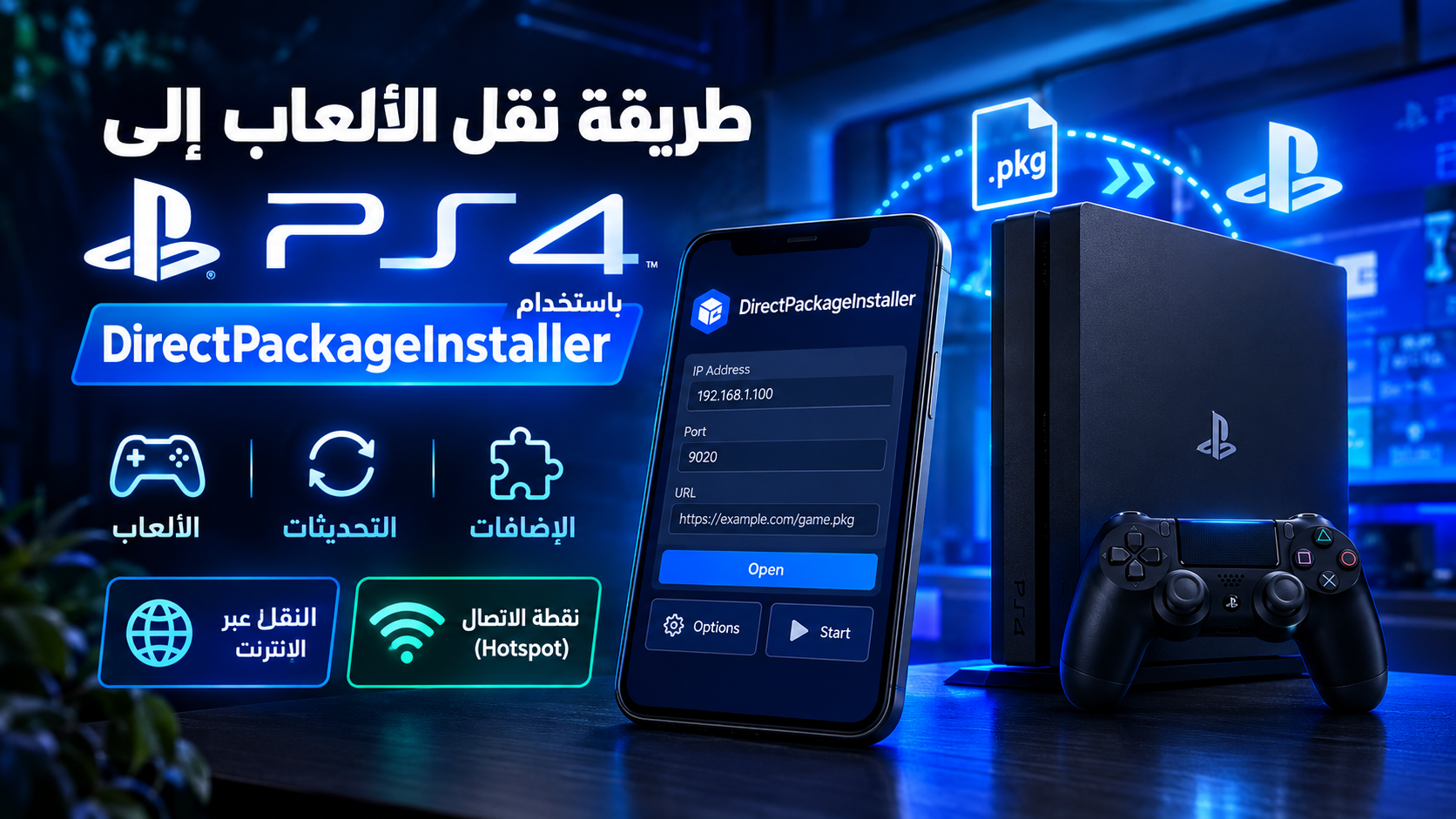
Direct Package Installer is a powerful and effective tool for transferring games, updates, and add-ons to a PS4 quickly and easily, without needing to use a flash drive or explorer at all ⚡
You can download the version suitable for your device from the official developer website:
https://github.com/marcussacana/DirectPackageInstaller/releases/tag/8.3.2
.pkg format (game – update – add-ons)..pkg file before transferring.Transfer speed depends on your actual internet speed. If your speed is high (100 Mbps or more), the speed will be excellent. If it is less than 60 Mbps, the transfer becomes very slow (may not exceed 2 MB/s). With this method you can transfer even without downloading the file to the phone, but the app may require enough space equal to the file size as temporary storage.
Method: download any app that can get the direct link for a .pkg file (it must be a direct link that leads to downloading the file, not a download page link, and not a compressed file). Then open the Direct app and put the direct link in the top search field next to the Options button on the left and the Open button on the right (as in the first image). Then apply the same steps mentioned with the images, skipping the step of selecting a file from your device because the file is not on your phone but will be fetched from the direct link.
This method does not require an internet connection at all. I will explain it step by step with the images in order.
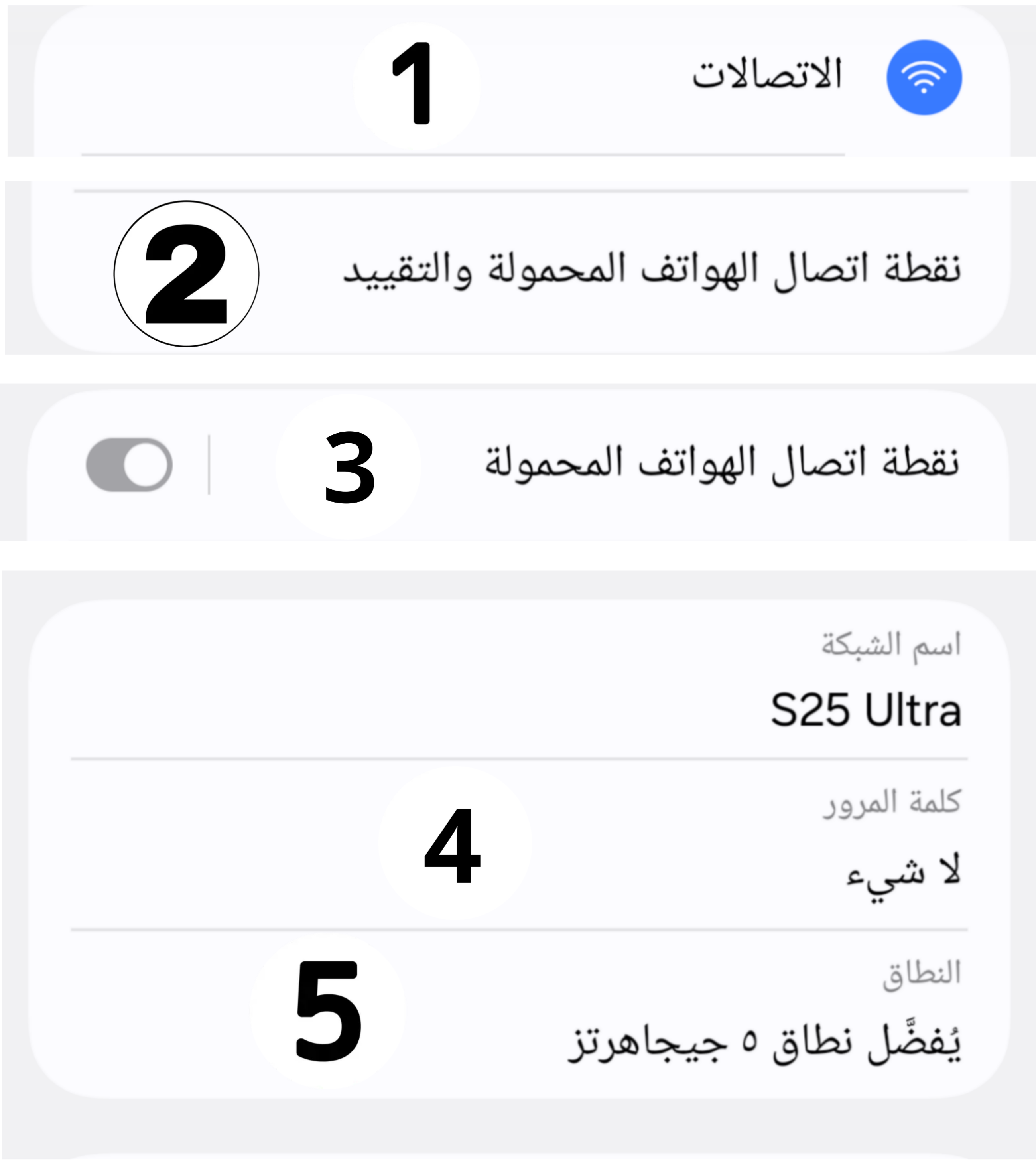
Before opening the Direct app, you must set up the hotspot on your phone. Steps on Samsung devices (similar on other Android devices):
⚠️ Very important: Do not turn Wi-Fi back on while the hotspot is on and PS4 is connected, until the transfer reaches 100%, to avoid sudden errors or slow transfer speeds.
From the PS4, connect to the hotspot you created on the phone. Make sure the connection succeeds before moving to the next step.
From the PS4 interface, open GoldHEN settings from the GoldHEN icon at the top bar. Then go to Server Settings and enable the second option BinLoader Server.
Note: You must have already connected to the hotspot from PS4 before this step.
At this moment an info banner will appear showing the PS4 IP address. Keep it.
From PS4 go to Settings then Network Connection Status, and note down:
Now open the Direct Package Installer app on your phone. The main interface will appear as in the following image, and note the Options button which we will use in the next step.
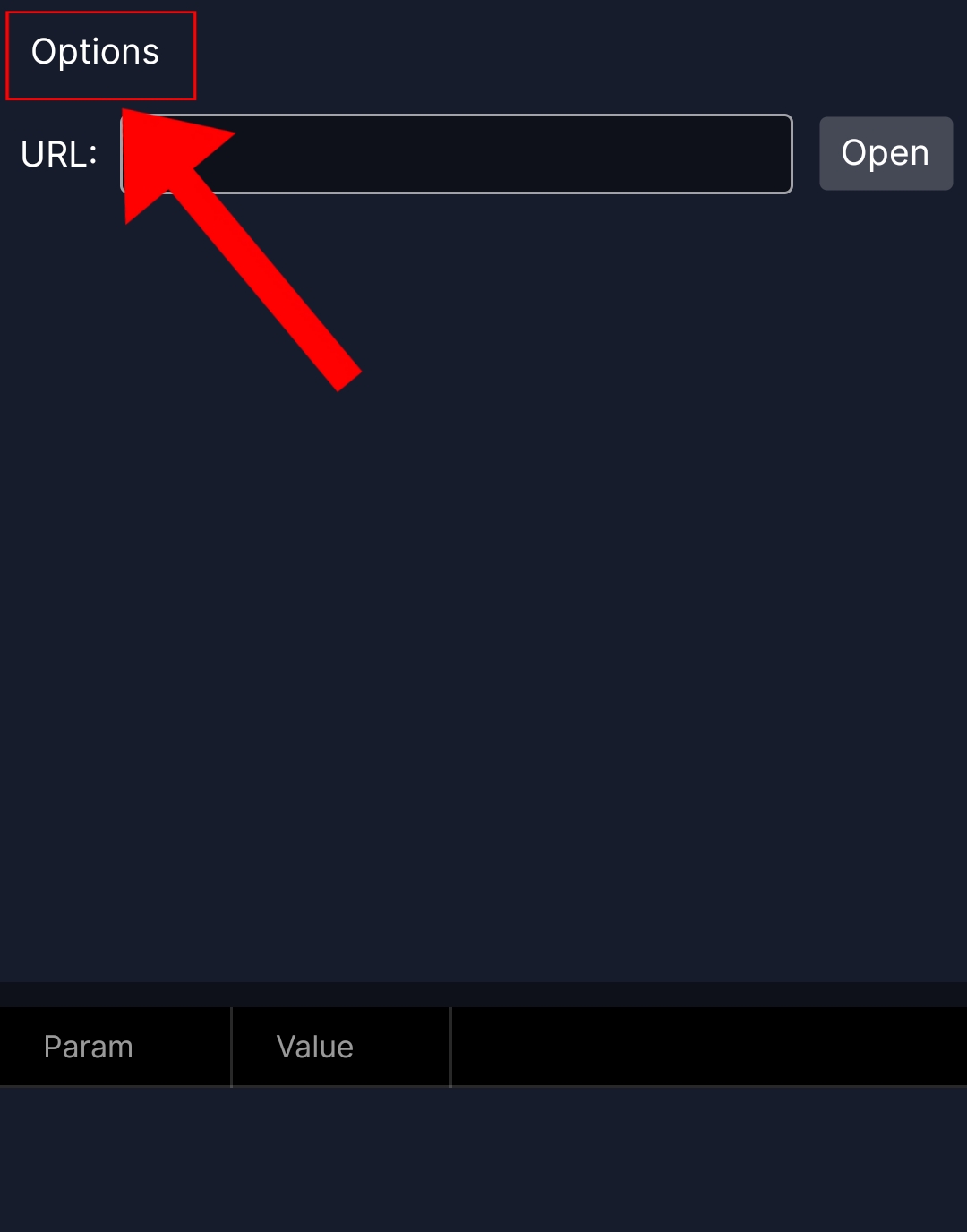
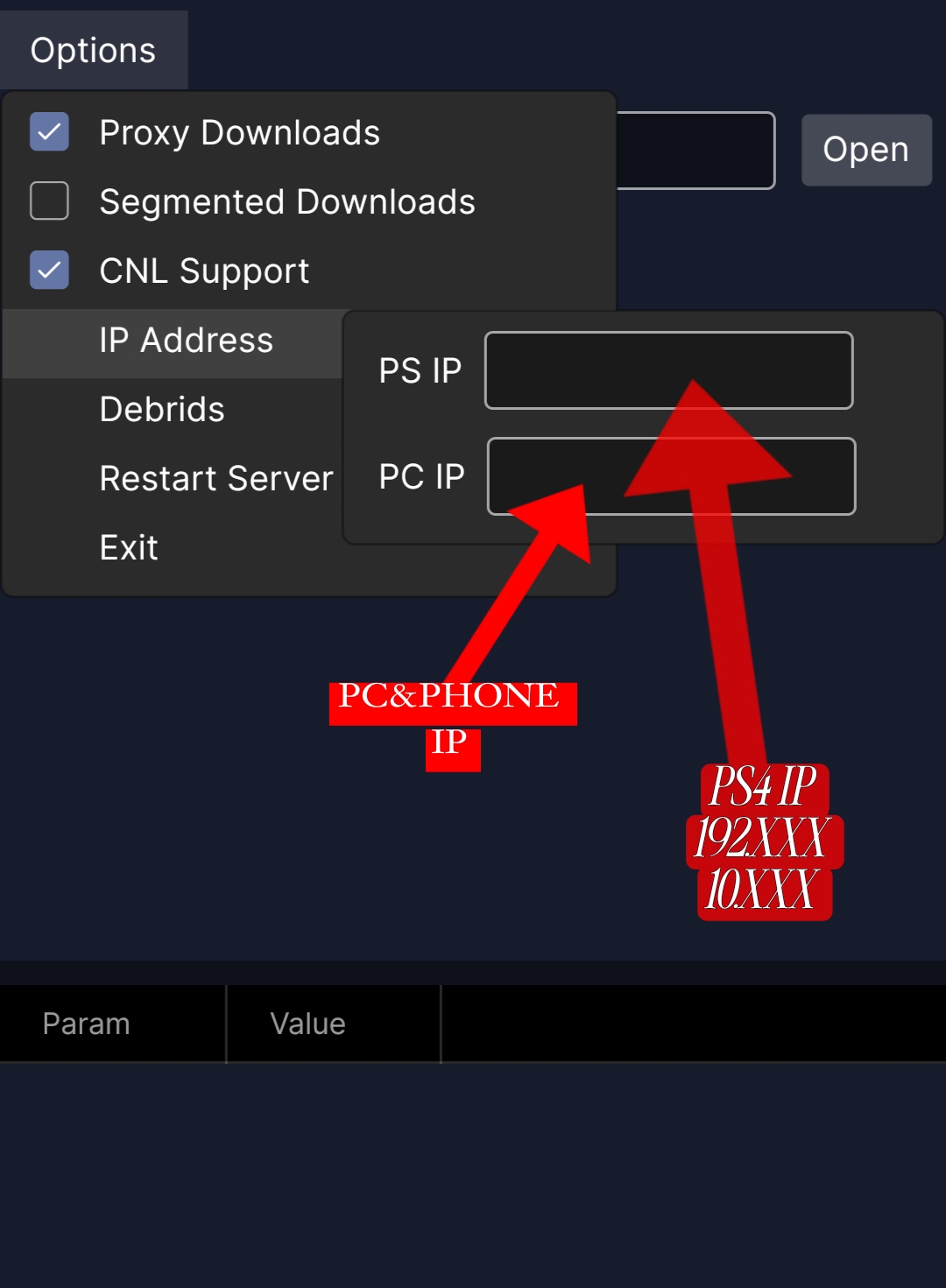
Press the Options button at the top of the app, then press Set IP which shows the IP input fields.
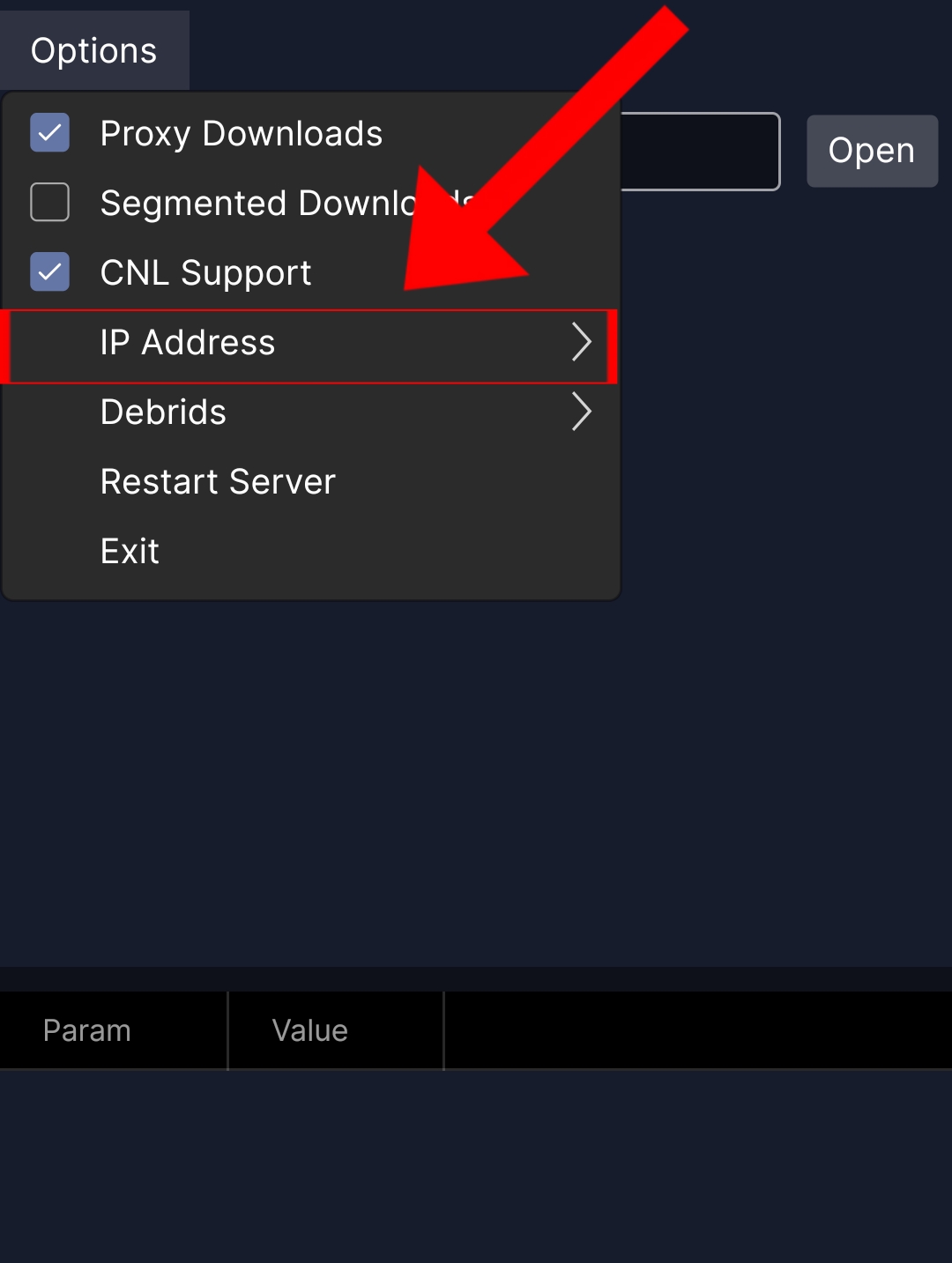
Two empty fields will appear. Fill the first field with the PS4 IP address, and the second field with the phone IP address (source).
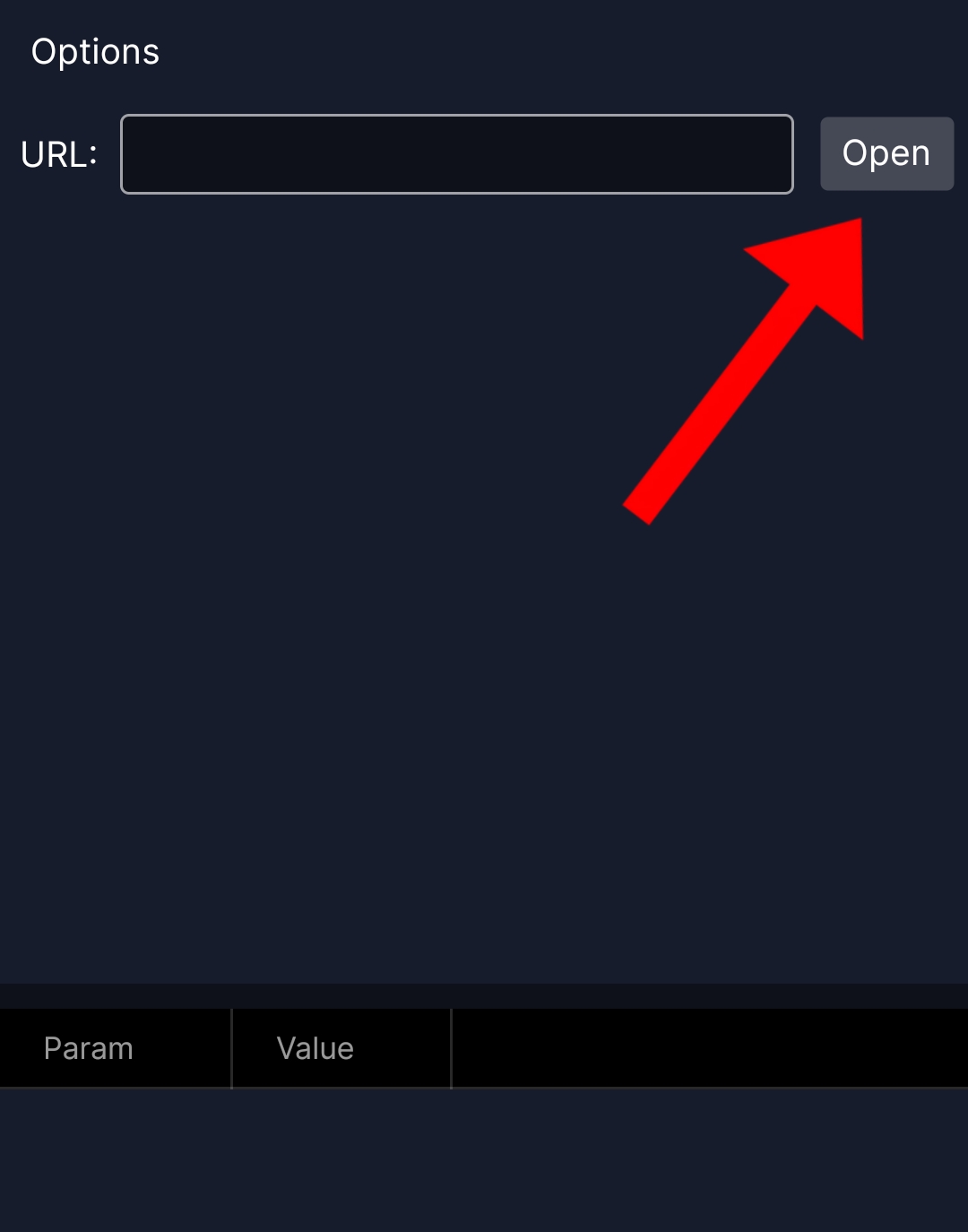
Press the Open button to open the app's file browser.
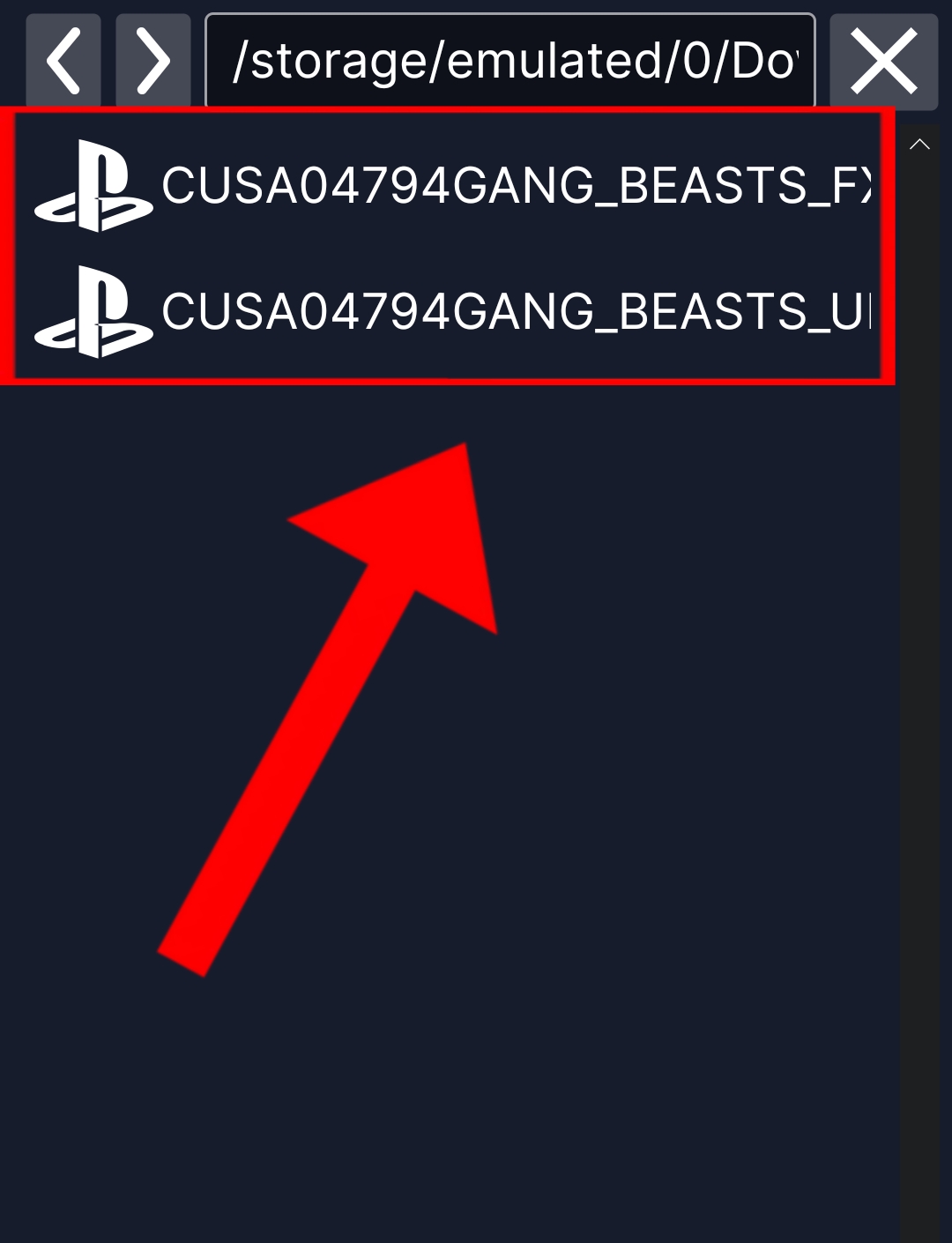
Find the path where you placed the PKG files you downloaded. Usually in Download/ or Download/1DMP/other. Tap on the PKG file (game, update, or add-on).
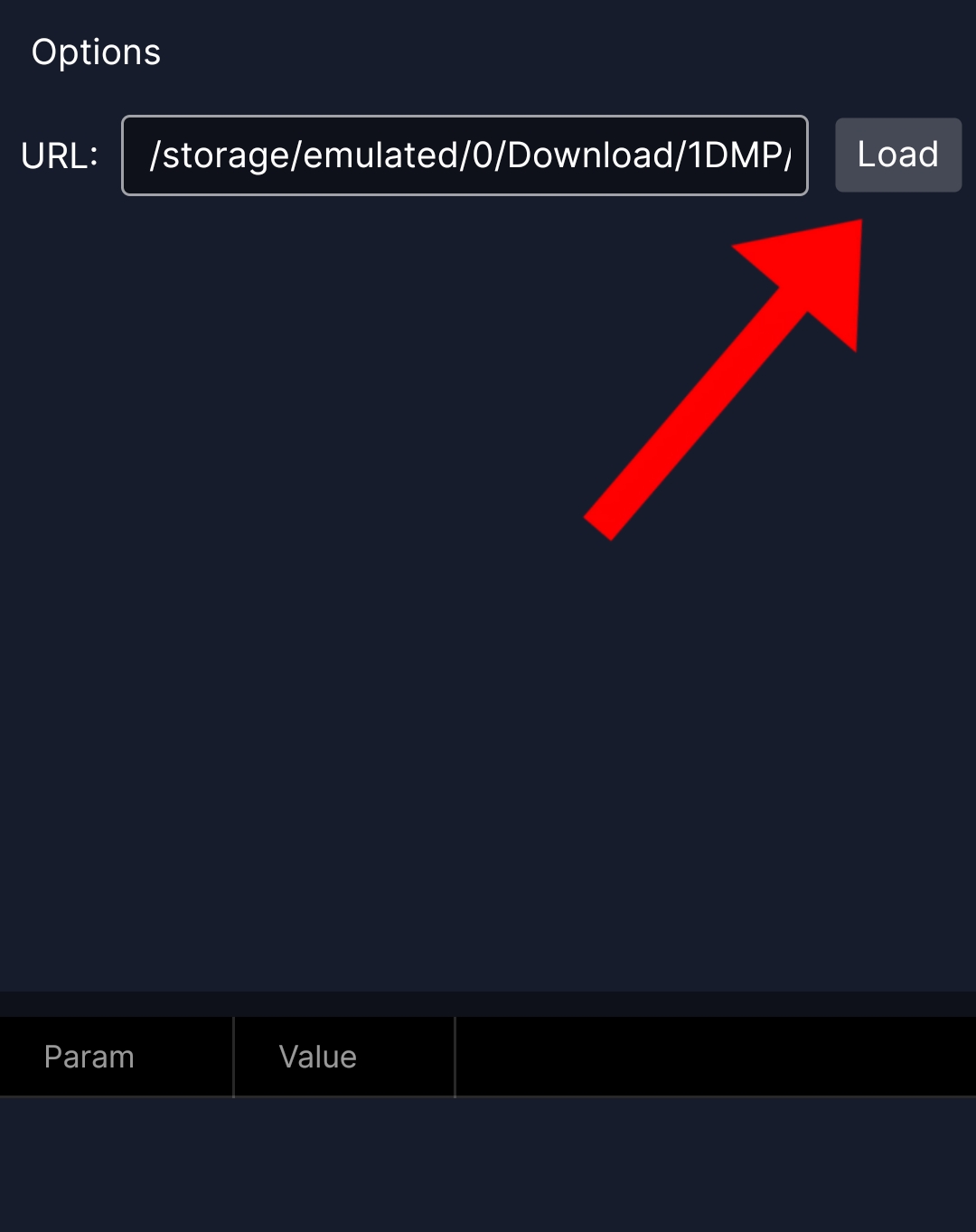
After tapping the PKG file, the app returns to the main page and puts the file path in the dedicated field. Now press the Load button to fetch the package info.
The full package info will appear (name, size, version). If the info appears, this means the PKG file is valid and intact.
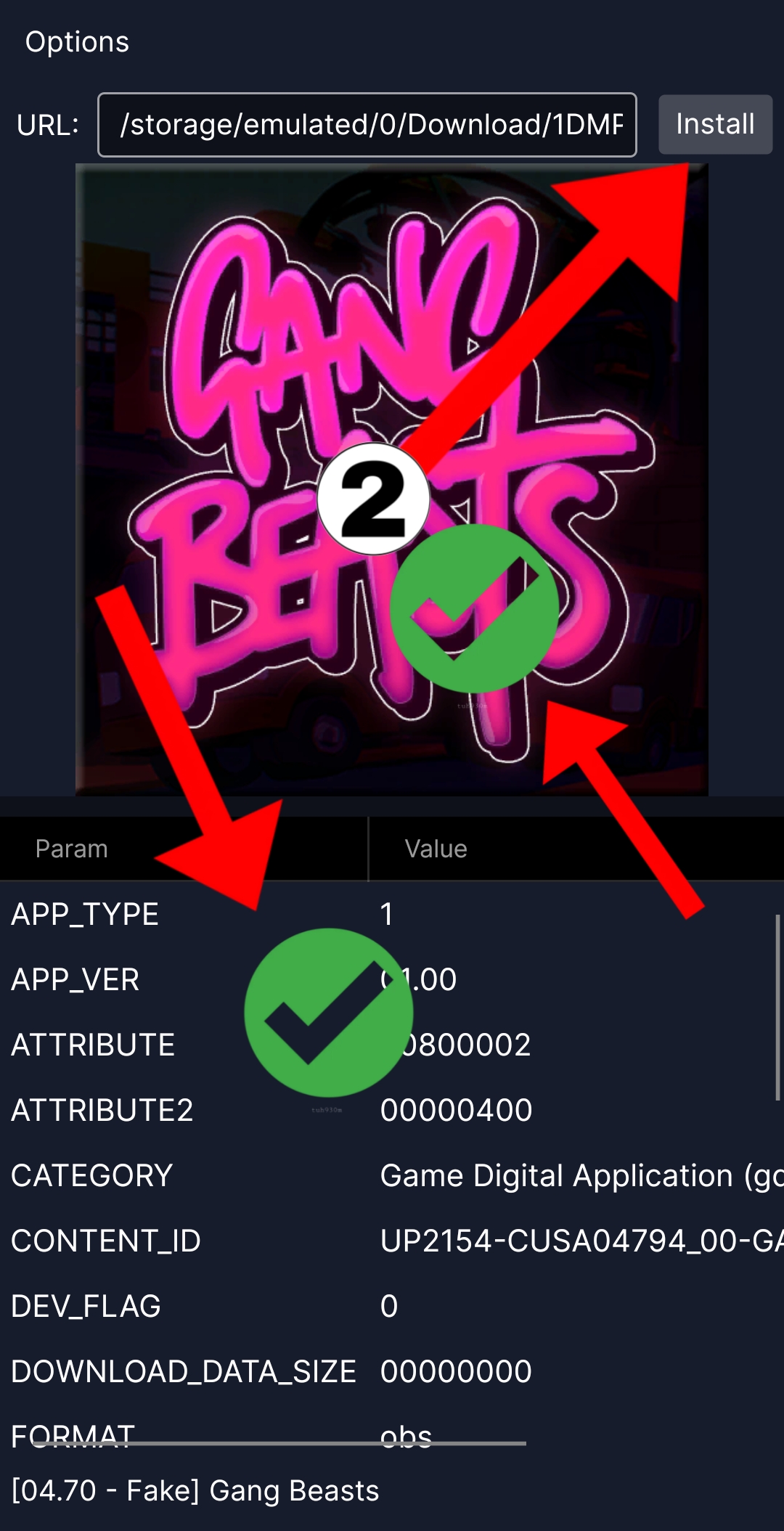
From the same info screen, press the Install button to start the transfer. Now place your phone close to the PS4 for a faster and more stable transfer. It is better to put it on the charger, next to the PS4, and prevent closing it or turning on Wi-Fi or browsing on it until the transfer is fully complete.
If a failure message appears as in the image below, containing:
RPI, GoldHEN nor etaHEN Found at 10.xxx.xxx.xxx, Verify if is running. You may need re-enable the payload server.
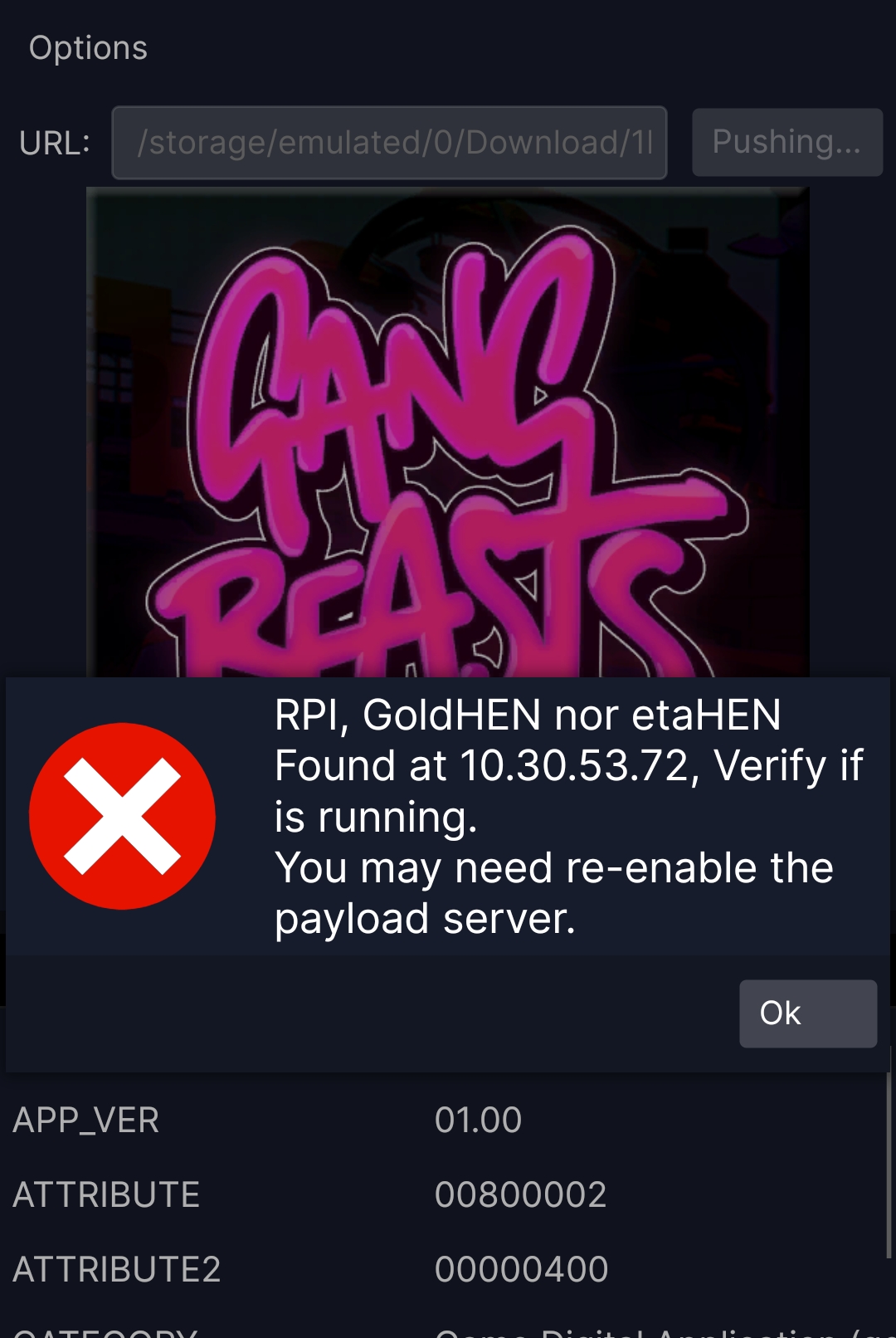
Follow these solutions in order:
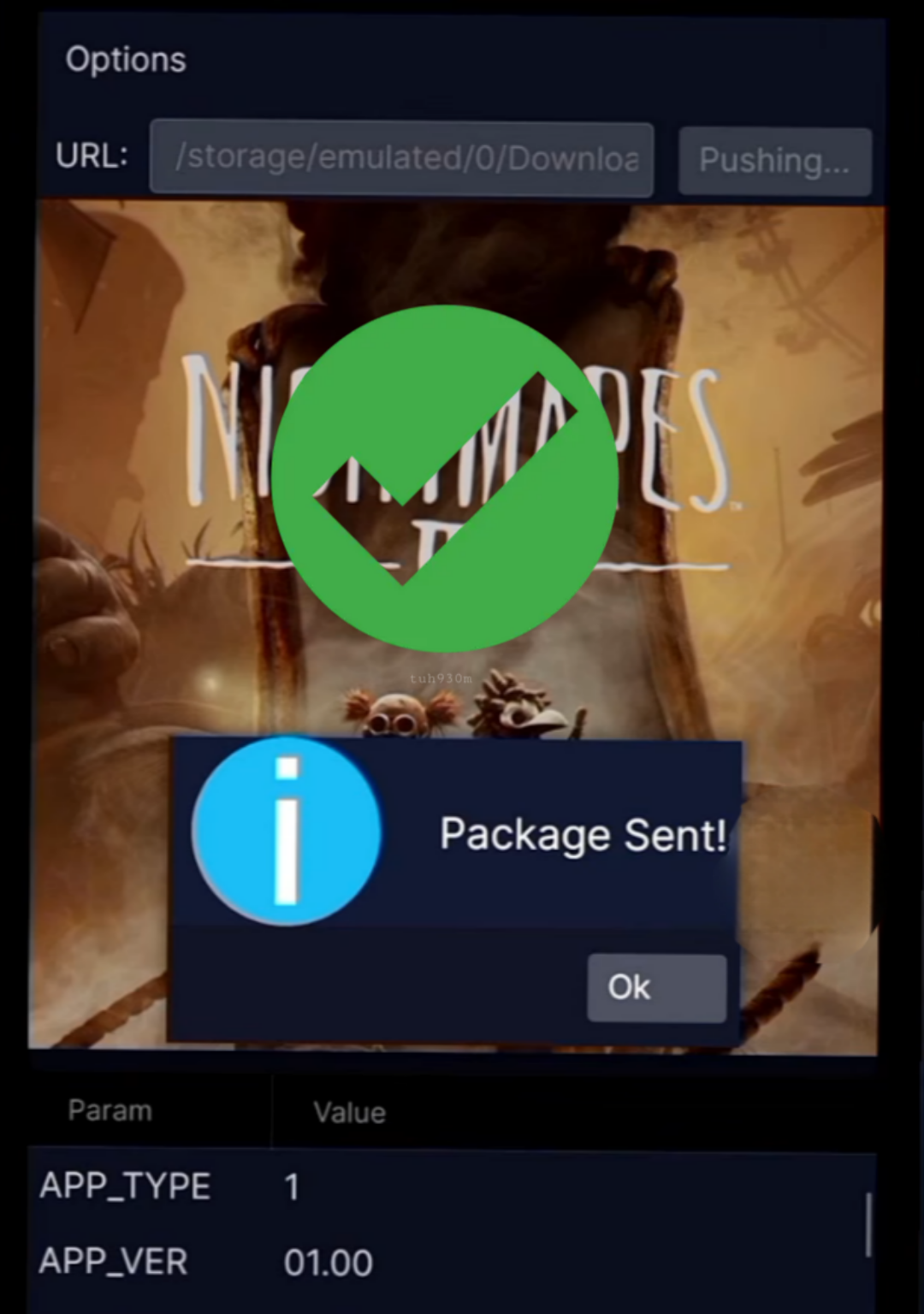
If the operation succeeds, a Package Sent! message will appear, meaning the transfer has actually started and is working correctly.
⚠️ Important note: PS4 FAT does not support receiving a 5GHz network even if the phone supports it. The 5GHz feature is only available in PS4 Slim and PS4 Pro.
Full app explanation step by step:
Direct transfer explanation — First:
Direct transfer explanation — Second:
Direct transfer explanation — Third:


Community Discussion (0)
Share your thoughts about Transfer Games to PS4 Using Direct Package Installer
No comments yet
Be the first to share your thoughts!